A SMALL FIX FOR MOVIE NIGHT
A clearer view.
Even on pause.
Move your mouse. Keep your picture.
Dimless removes the dark overlay on Apple TV and Prime Video when controls appear.
Free & open source · Manual installation
See what disappears.

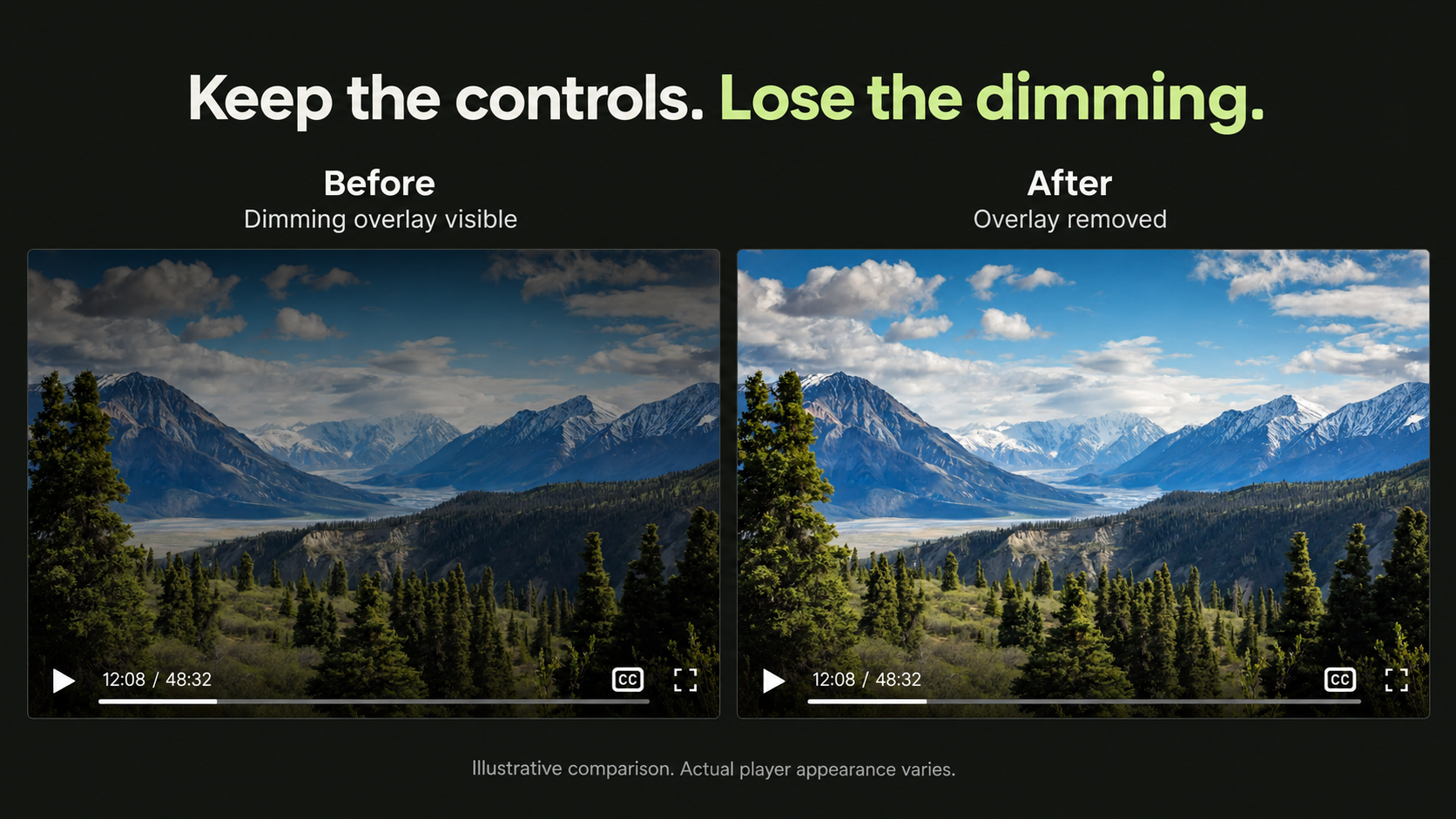
Apple TV
Clear picture. Playback controls tucked into the bottom row.*
Prime Video
The dimming backdrop disappears. Your controls stay put.
*Apple TV control positioning requires browser support for CSS anchors. Compatibility notes ↗
SET IT UP ONCE
Then get back
to watching.
For desktop Chrome and Chromium browsers.
Nothing to configure after installation.
Download & unzip
Extract the download into a folder you’ll keep on your computer.
Load the extension
Open
chrome://extensions, turn on Developer mode, and choose Load unpacked. Select the folder you just extracted.Refresh your video tab
Open Apple TV or Prime Video, bring up the controls, and enjoy the view.
A few details.
Does it change the video’s colors?
No. It removes the decorative dimming layer above the video. It doesn’t apply brightness filters, change the stream, or alter the video’s original colors.
What about privacy?
The extension contains only CSS. No scripts, tracking, data collection, or background activity. It runs on Apple TV, PrimeVideo.com, and Amazon.com’s video pages. See the exact site access.
Can I use Firefox or another Amazon region?
Firefox can load it temporarily from about:debugging; it unloads on restart. There’s no signed Firefox release yet. PrimeVideo.com is included, but regional Amazon domains beyond Amazon.com are not. See testing status and limitations.
How do I update or turn it off?
Replace the files in your extension folder with the latest download, click Reload on the extension card, and refresh your video tab. Disable or remove Dimless from the extensions page to restore the original appearance.